SSH Brute-Force Investigation and Automated Defense
🎯 Lab Objective
Move beyond theory and practice a complete SSH attack lifecycle end to end:
- confirm real service exposure
- generate real authentication-failure log data
- extract attacker evidence from logs using shell tools alone
- simulate an automated brute-force attack against a lab VM
- observe an automated defensive control (Fail2ban) detect and block the attacker in real time
🧪 Lab Environment
- VM: Ubuntu lab VM (Parallels)
- User:
parallels - Target service: OpenSSH (
sshd) on port 22 - Attack tool: Hydra
- Defense tool: Fail2ban
- Evidence source:
/var/log/auth.log
🧩 Lab Setup
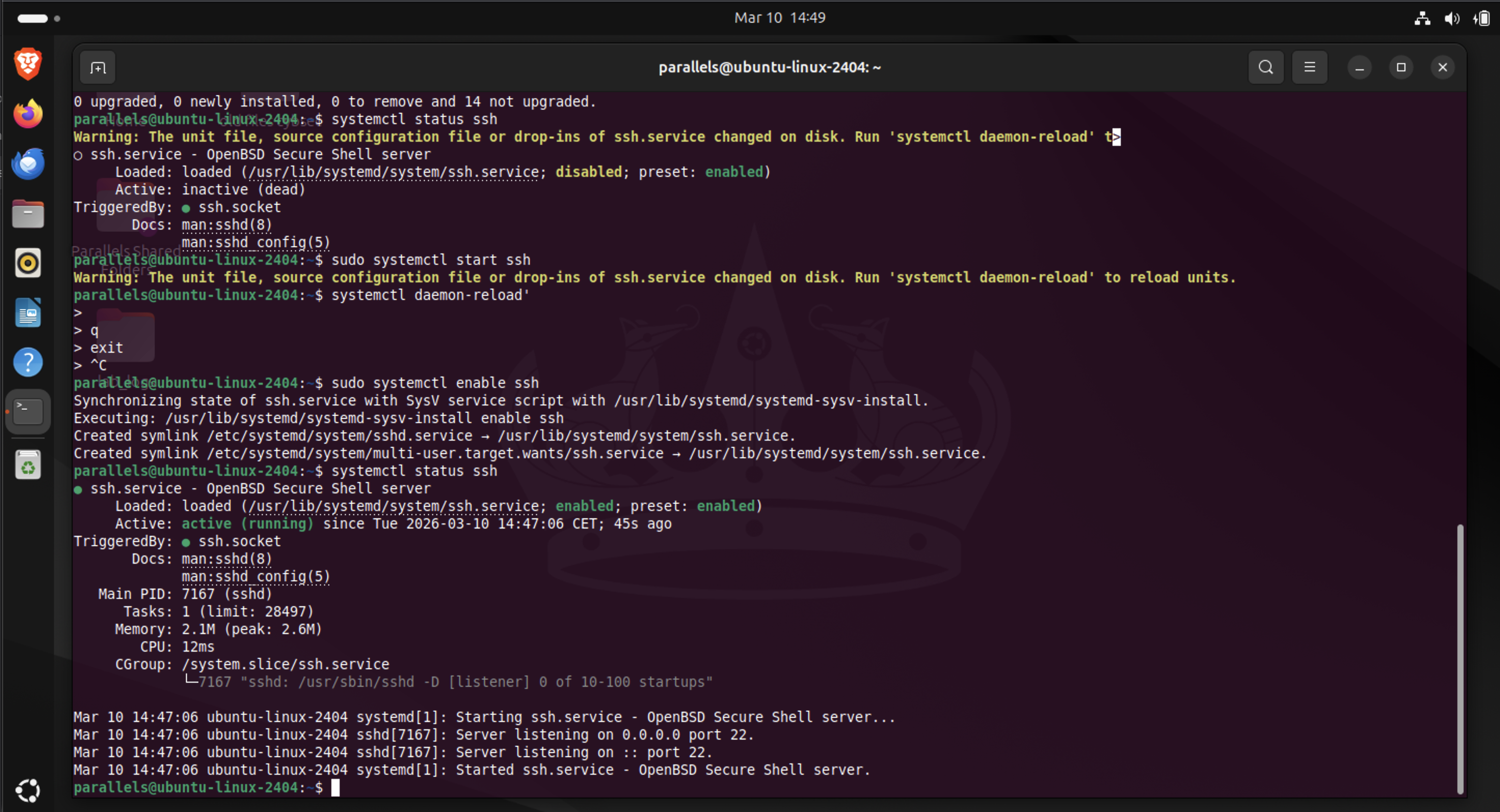
1. Confirmed SSH Service Exposure
ss -tulpn
Relevant output:
tcp LISTEN 0 4096 0.0.0.0:22
tcp LISTEN 0 4096 [::]:22
Interpretation: SSH is listening on port 22, bound to all IPv4 interfaces (0.0.0.0) and all IPv6 interfaces ([::]) — reachable from any network interface on the system.
🔬 Manual Evidence Generation
2. Generated Real Authentication Failures
ssh parallels@localhost
Deliberately entering incorrect passwords produced real authentication failures inside /var/log/auth.log.
3. Extracted Failed Login Evidence
grep "Failed password" /var/log/auth.log
Example entry:
Failed password for parallels from 127.0.0.1 port 46500 ssh2
4. Extracted and Ranked Attacker IPs
Because field positions shift whenever invalid user appears in the log line, fixed-column extraction (awk '{print $9}') breaks. Keyword-based parsing instead:
grep "Failed password" /var/log/auth.log | \
awk '{for(i=1;i<=NF;i++) if($i=="from") print $(i+1)}' | \
sort | uniq -c | sort -nr
Results:
5561 127.0.0.1
3405 192.168.0.27
2    10.211.55.4
Three distinct attack sources identified from log evidence alone.
5. Counted Total Failed Logins
grep "Failed password" /var/log/auth.log | wc -l
Result: 8,968 failed authentication attempts.
6. Identified Username Enumeration
grep "invalid user" /var/log/auth.log
Example:
Failed password for invalid user fakeuser from 127.0.0.1
Attempts against non-existent usernames — a distinct attacker behavior (enumeration) from attempts against a known valid account.
💥 Simulated Automated Attack
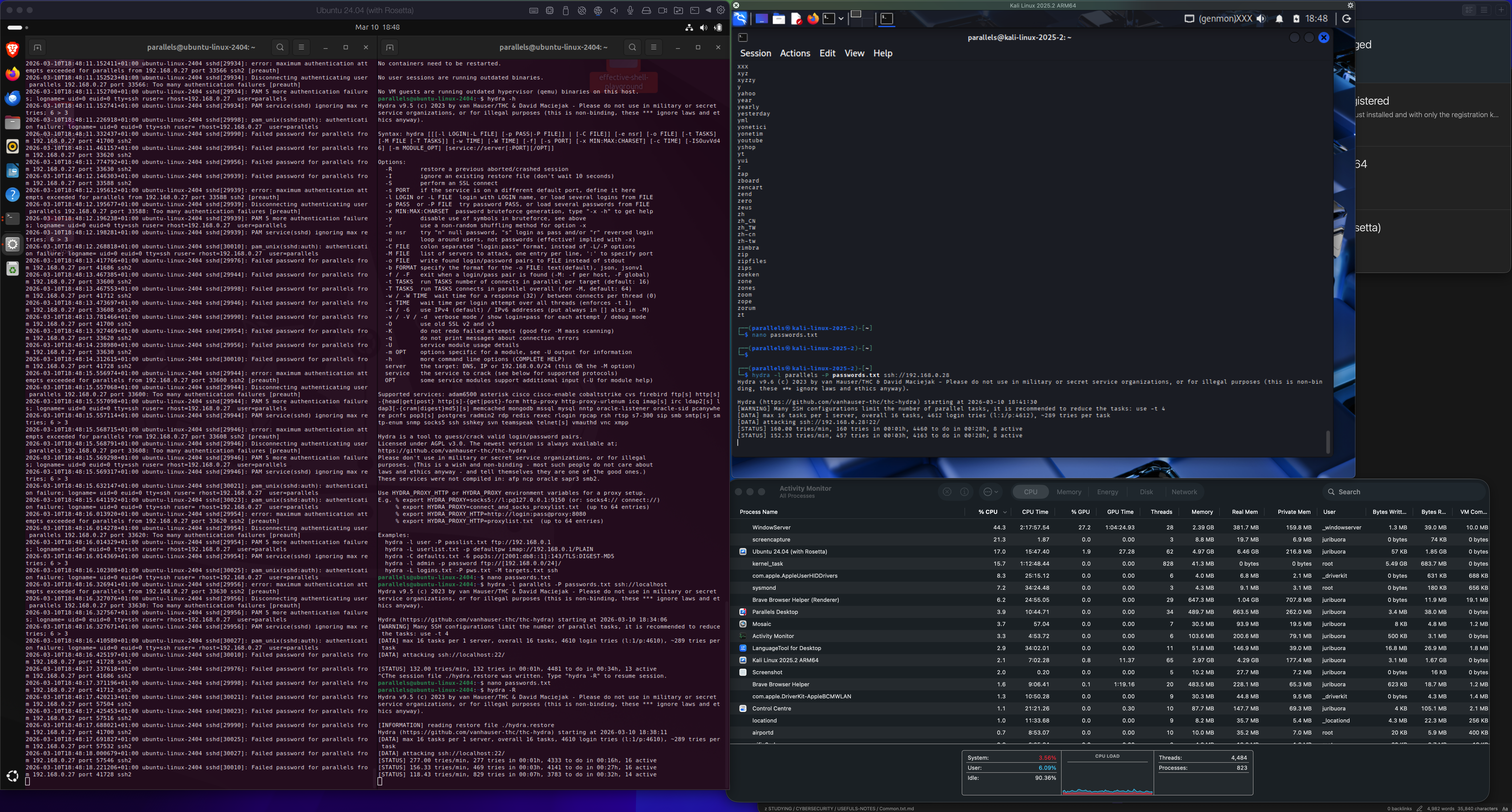
7. Launched a Real Brute-Force Attack with Hydra
hydra -l parallels -P passwords.txt ssh://localhost
This rapidly generated thousands of authentication attempts, turning the log into a realistic approximation of real internet attack traffic.
🛡 Automated Defense
8. Installed Fail2ban
sudo apt install fail2ban
Fail2ban watches /var/log/auth.log and automatically firewalls off any source IP that crosses a failure threshold.
9. Observed Real-Time Detection and Banning
Fail2ban log:
fail2ban.actions NOTICE [sshd] Ban 192.168.0.29
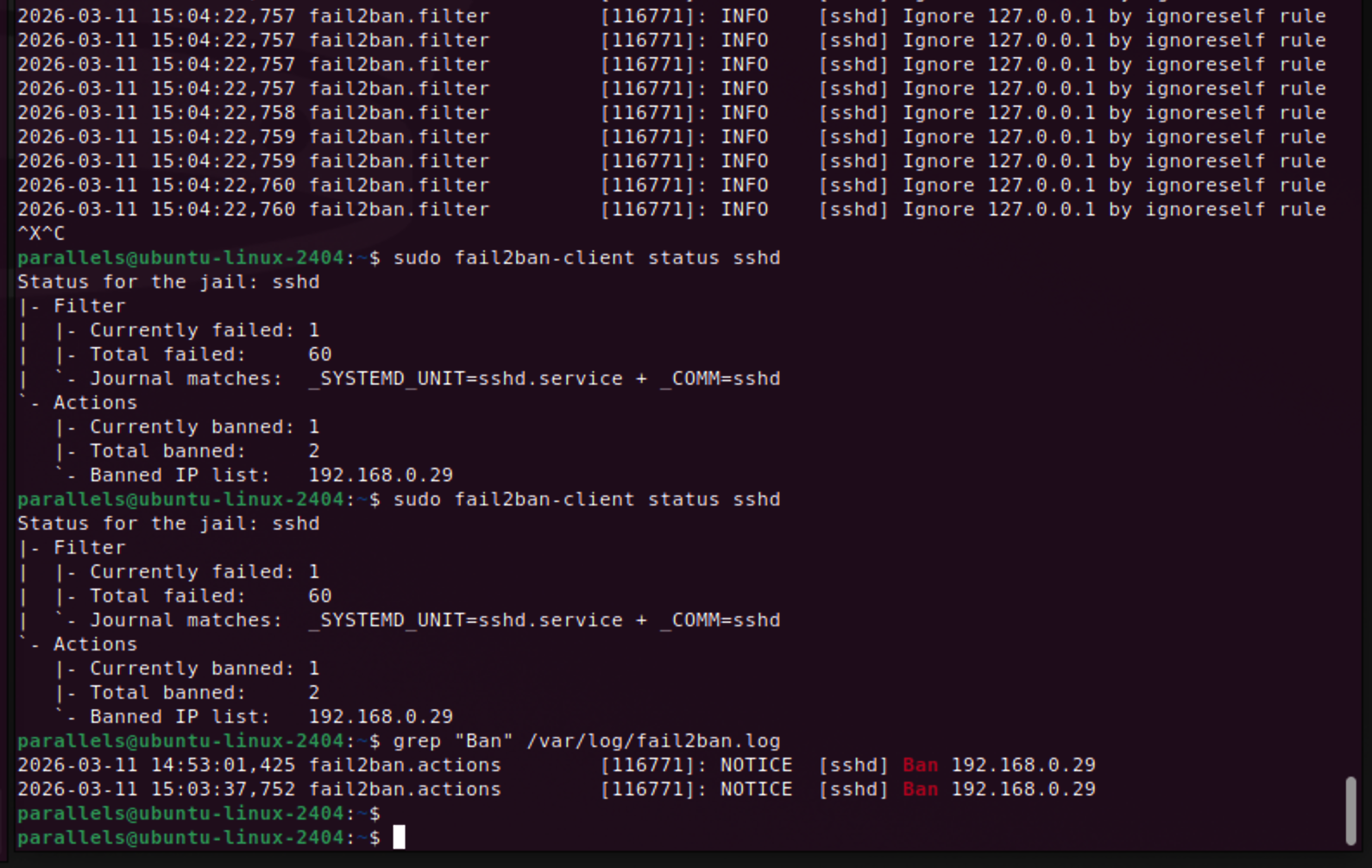
Status check:
sudo fail2ban-client status sshd
Output:
Currently banned: 1
Total banned: 2
Banned IP list: 192.168.0.29
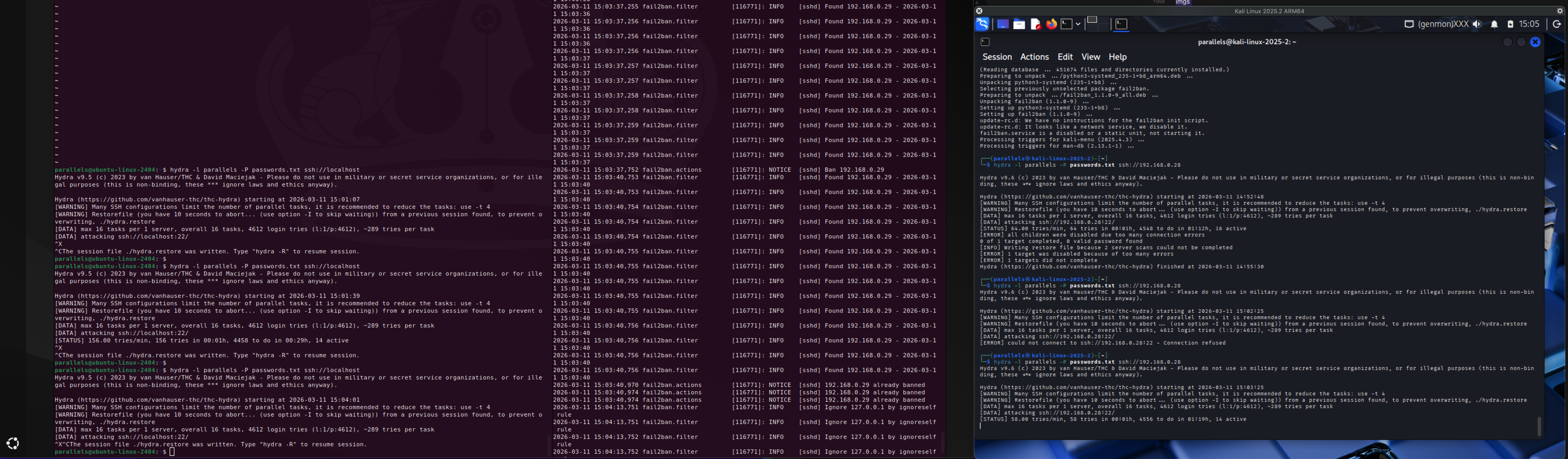
10. Confirmed the Self-Lockout Safeguard
Ignore 127.0.0.1 by ignoreself rule
Fail2ban intentionally never bans localhost, preventing an administrator from locking themselves out of their own box.
👑 Key Findings
- An exposed SSH service on
0.0.0.0:22is reachable from any interface — exactly what internet-wide scanners (Masscan, Shodan) discover within minutes in the real world. - SSH log formats are not uniform —
invalid userentries shift field positions, breaking naive fixed-column parsing. Keyword-based extraction (forloop matching on"from") is the correct fix, not a one-off workaround. - A single brute-force run generated 8,968 failed attempts from 3 distinct source IPs in a short window — a volume signature that is trivial to detect once you know to count it.
- Fail2ban is a genuine log-driven intrusion prevention system: detect pattern → identify source → apply firewall rule, fully automated, no human in the loop.
- Defensive tooling has to account for its own operator: the
ignoreselfrule exists specifically so automated banning can't lock out the person running the box.
🧠 Cybersecurity Relevance
This lab is a complete, compressed version of a real SSH attack lifecycle: exposure → discovery → brute force → log evidence → automated response. It mirrors exactly what a SOC analyst investigates when an authentication-failure alert fires — confirm the source, quantify the volume, check for username enumeration, confirm whether any attempt succeeded, and verify the automated control actually engaged.
🚧 Challenges Encountered
- Fixed-position
awkparsing ($9,$11, etc.) silently breaks the moment a log line's shape changes (e.g.invalid userinsertions) — this produces wrong answers without ever throwing an error, which is worse than a crash. - Log compression (
message repeated N times) can hide true event volume if read carelessly; the raw failed-password count needed a directgrep | wc -l, not an assumption from the visibly distinct lines.
💡 Key Takeaways
- SSH authentication logs are strong forensic evidence on their own — no packet capture is required to reconstruct the shape of a brute-force attack (see
04-packet-analysis-wireshark-lab.mdin the study curriculum for the complementary packet-layer view of this exact attack). - Parse logs by keyword/context, never by fixed field position, unless the log format is contractually guaranteed stable.
- Automated defense (Fail2ban) is only as good as the log source it watches — it is log analysis with an enforcement action attached, not a separate discipline.
- A defensive control needs a safeguard against banning its own operator; this is a design detail worth checking in any auto-remediation system, not just Fail2ban.
📌 Reflection
This was the first lab where the logs stopped feeling like text files and started feeling like real evidence: a volume count, a set of source IPs, an enumeration pattern, and finally a defensive system reacting to all of it automatically. Generating the attack myself, rather than reading about one, made the connection between "SOC analyst investigates an alert" and "here is the exact log line that alert came from" concrete for the first time.